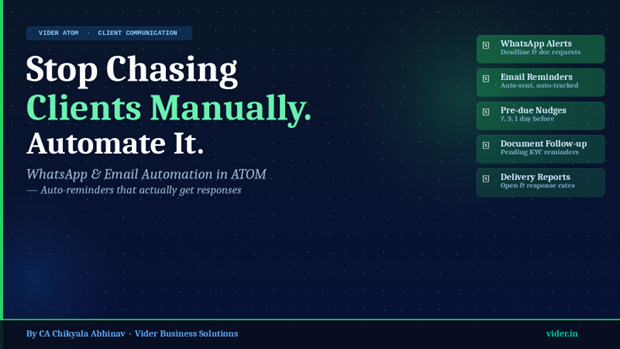
Stop Chasing Clients Manually. Automate It: WhatsApp & Email Automation in ATOM
How ATOM's automated communication engine saves CA firms 6+ hours per week on client follow-ups
How ATOM's automated communication engine saves CA firms 6+ hours per week on client follow-ups
CONTENTS
Home Chronicles ATOM


Every CA firm pays what we call the 'manual follow-up tax' — the invisible hours burned every week chasing clients for pending documents, reminding them of approaching deadlines, nudging them to pay outstanding fees, and following up on information requests that went unanswered. This tax is paid in partner time, manager time, and receptionist time. It is unglamorous, unproductive, and entirely preventable.
The average CA firm with 100 active clients spends between 5 and 10 hours per week on manual client follow-ups. Over a year, that is 260 to 520 hours — the equivalent of 6 to 13 working weeks — spent on tasks that a properly configured automation system can handle in seconds.
ATOM's WhatsApp and email automation module eliminates the manual follow-up tax. It sends the right message, to the right client, at the right time — automatically — without anyone in the firm needing to initiate it.
1. Pending Document Requests
The most time-consuming follow-up in any CA firm is chasing clients for documents. Salary slips, bank statements, investment proofs, GST purchase records, Form 16 — the list varies by client and by season, but the need to follow up is constant. ATOM allows document requests to be created as tasks with client-facing notifications. When a document is pending, ATOM sends automatic reminders at configured intervals — 7 days, 3 days, 1 day before the internal deadline — until the document is received.
2. Compliance Deadline Reminders
Clients need to know when their statutory deadlines are approaching — not to manage the filing themselves, but to ensure they have provided all required information to their CA in time. ATOM sends automatic pre-deadline reminders to clients: 'Your GST return for [month] is due on [date]. Please ensure all purchase and sales records are shared by [date] to allow timely filing.'
3. Outstanding Fee Reminders
Professional fee recovery is one of the most uncomfortable tasks for CA firms — particularly for those with long-standing client relationships. ATOM automates fee reminders with configurable messaging and escalation schedules: a polite initial reminder 7 days after invoice issuance, a firmer follow-up at 21 days, and a formal escalation at 45 days. This removes the social awkwardness while improving collection rates.
4. Notice Response Document Requests
When a client receives a regulatory notice that requires documents from them — supporting evidence for an income tax scrutiny, records for a GST audit — ATOM can send structured document request messages via WhatsApp with a clear list of what is needed and by when.
5. Engagement and Onboarding Confirmations
When a new client is onboarded, ATOM can send an automatic welcome message with the firm's contact details, the assigned team member's name, and a checklist of initial documents required. This creates a professional first impression and reduces the back-and-forth that typically characterises the onboarding phase.
“Automation does not make CA firms less personal. It makes them more consistent — and consistency is what clients actually experience as professionalism.”
ATOM's communication automation is triggered by events in the platform — a task moving to a certain status, a deadline crossing a threshold, an invoice remaining unpaid beyond a configured number of days. When the trigger fires, the platform sends the configured message via WhatsApp, email, or both, using the client's preferred communication channel.
Messages are fully customisable with merge fields: client name, due date, document type, amount, and other variables are automatically populated from the client's profile and task data. The tone, format, and content are set by the firm — ATOM simply delivers them at the right time.
| Automation Type | Trigger Event | Channel |
| Document request | Task created, doc status = pending | WhatsApp + Email |
| Deadline reminder | 7 / 3 / 1 day before due date | |
| Fee reminder | Invoice age = 7 / 21 / 45 days | Email + WhatsApp |
| Notice document request | Notice assigned, docs pending | |
| Onboarding welcome | New client profile created | Email + WhatsApp |
Can the WhatsApp messages be sent from our firm's own WhatsApp number?
ATOM's WhatsApp integration supports both shared and dedicated number configurations. The Vider team assists with the setup to ensure messages are sent from a recognisable number associated with your firm.
Can we control which clients receive automated messages?
Yes. Automation can be configured at the client level — some clients may prefer email-only communication, others WhatsApp. ATOM respects these preferences and routes messages accordingly.
Do automated messages feel impersonal to clients?
Not when configured correctly. ATOM's message templates use the client's name and specific task details, making them feel personalised rather than generic. The content is written by the firm, not generated by the system — ATOM simply delivers it at the right time.
Related Posts
Best Practice Management Tool for Chartered Accountants in India by CA Chikyala Abhinav Why ATOM Is the Best Practice Management Tool for Chartered Accountants in India by Nikhil Katkam P F A & Associates - Segment: Income Tax Advisory & Compliance How ATOM & ATOM Pro Revolutionized My CA Practice: A Journey by CA. Naveen Kumar Best Company Secretary Software in India - Vider ATOM